Import your .xd files straight into Figma — no Adobe XD, no export step. LayerShuttle rebuilds artboards, icons, text, masks and effects as native, editable layers.
No Adobe XD, no separate exporter. Drop your .xd source file into LayerShuttle and it rebuilds the whole design as native, editable Figma layers.
Everything happens inside Figma — there's nothing else to install.
Built for real migration work, not a screenshot importer.
Native Figma text, vectors and frames — not a flat image. Keep designing right away.
Matrix-accurate geometry, rotation and positioning so layouts land where they should.
Reconstructed as real Figma effects and clips instead of being baked away.
Keeps your original XD font choices instead of silently swapping them.
Import runs locally in Figma. Your design files aren’t uploaded to a server.
Keep the imported hierarchy organized so you can inspect, adjust and continue designing with confidence.
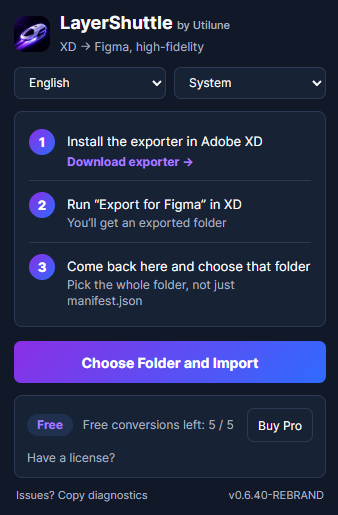
Start with 5 free conversions. Upgrade when you're ready — Lifetime is the best deal for a one-time migration.
XD to Figma, high-fidelity restoration.
Prices in USD · 14-day money-back guarantee. New here? Get LayerShuttle on Figma to try it first.
No. LayerShuttle reads your .xd source file directly inside Figma, so you don't need Adobe XD installed at all. Just run the plugin and drag in your .xd file.
Yes. LayerShuttle rebuilds your design as native Figma layers — real text, vectors and frames — so you can keep editing. It is not a flattened image or a single screenshot.
Artboards, text, vectors and shapes, images, masks, gradients, blur effects and layer structure — placed with matrix-accurate geometry and rotation.
You get 5 free conversions, no credit card required. After that, unlock unlimited conversions with any paid plan.