Now available on Figma

Turn scattered values into a working variable system

TokenShuttle finds unbound colors, typography, spacing, radius and strokes, matches them to your variables, and lets you review the result before applying changes in one pass.

Runs inside Figma · Scan first, review matches, then apply · Free to start
TokenShuttle

One plugin, batch-bind design variables

TokenShuttle scans unbound colors, fonts, spacing, radius and strokes, matches them to existing variables, and lets you review the result before applying it in one pass.

  1. Get TokenShuttle — install the plugin from Figma Community.
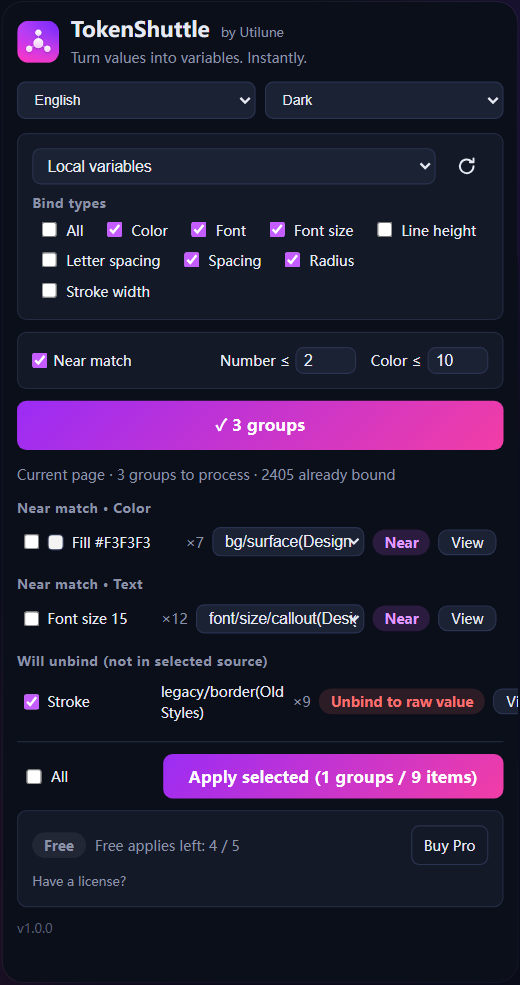
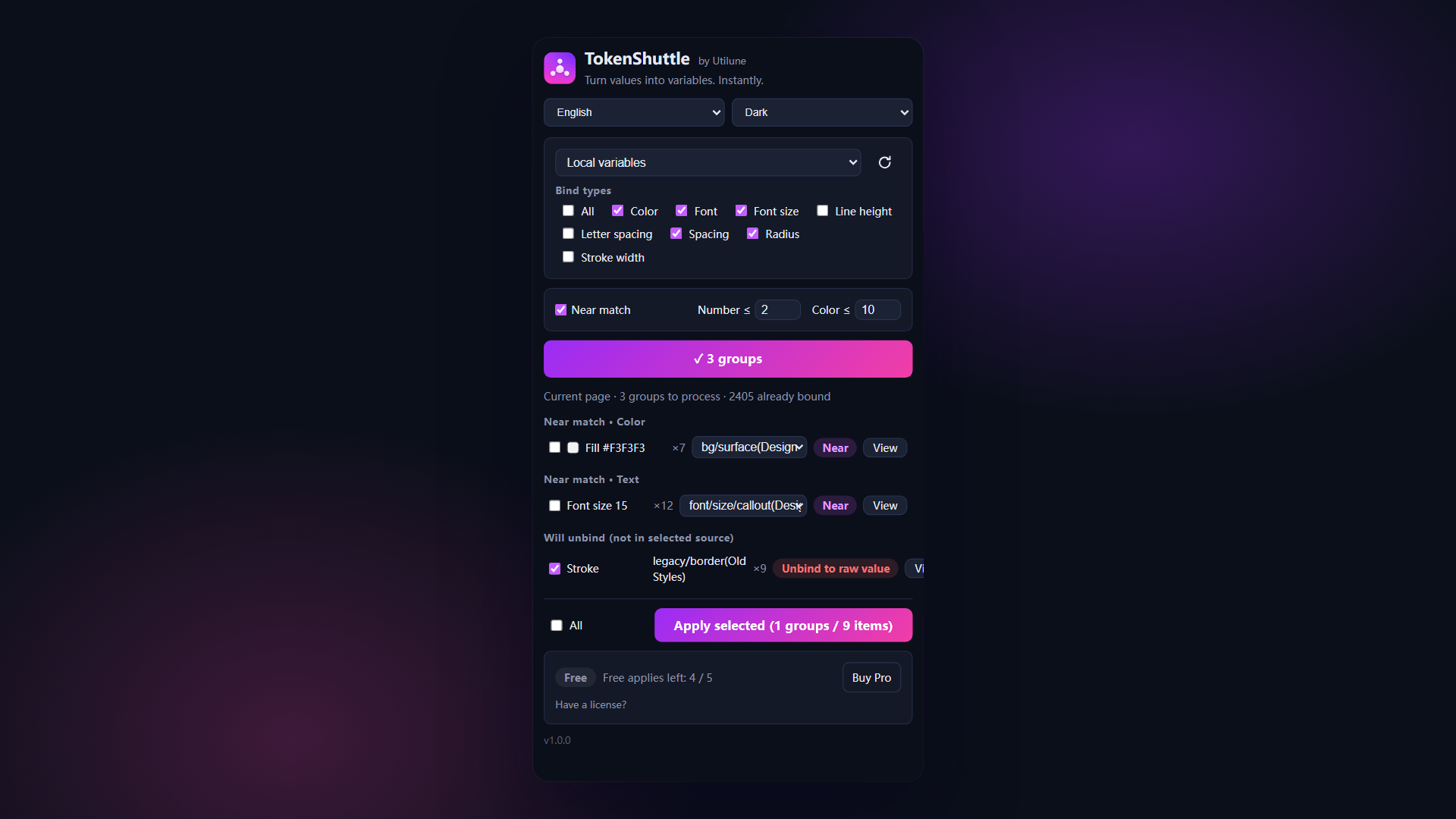
  2. Choose and scan — select the variable library and types to bind, then click “Start scan”.
  3. Review and apply — check the matches, select the items to use, then click “Apply”.

Scan first, match second, apply when ready — you stay in control.

Get TokenShuttle on Figma
TokenShuttle plugin showing variable source, match results, and Apply button

TokenShuttle — bulk bind variables

TokenShuttle scans your Figma file for raw colors, fonts, sizes, spacing, radius and strokes, then batch-binds them to your existing variables — from local collections or team libraries — in one pass.

Finds every raw value

Scans the whole file for unbound colors, fonts, font sizes, spacing, radius and strokes instead of relying on you to spot them.

Batch bind, not one by one

Bind hundreds of raw values to your variables and tokens in a single run — no clicking through layers one at a time.

Three-tier matching

Exact matches bind automatically, conflicts let you pick the right variable, and near-matches are flagged for a quick review.

Preview, apply, undo

See exactly what will change before you apply it, then undo the entire batch in one step if something's off.

Pill-radius detection

Recognizes pill-shaped corners as a distinct radius pattern instead of missing them like a plain radius scan.

View on canvas, your language

Jump straight to any matched layer to check it in context. Available in 9 languages, with light and dark UI.

Install once, bind variables in two steps

Get TokenShuttle from Figma Community, choose a variable source, then scan and apply.

Install TokenShuttle

Get TokenShuttle from Figma Community and run it in any Figma design file.

Get it on Figma Community

Choose and scan

Choose the variable library and variable types to bind, then select “Start scan”.

Review and apply

Review the matches, select the ones to use, then select “Apply”.

TokenShuttle plugin showing variable source, match results, and Apply button

Good to know

Simple pricing

Pay monthly, yearly, or once for lifetime access — the same plans as LayerShuttle.

TokenShuttle logo

TokenShuttle

Turn values into variables. Done instantly.

Monthly

For a single project

$9 / month
 
  • Unlimited batch binds
  • All three matching tiers
  • 1 device
Quarterly

A few projects

$19 / 3 mo
≈ $6.3/mo · save 30%
  • Unlimited batch binds
  • All three matching tiers
  • 1 device
Yearly

Ongoing work

$49 / year
≈ $4/mo · save 55%
  • Unlimited batch binds
  • All three matching tiers
  • 1 device

Prices in USD · 14-day money-back guarantee.

Frequently asked

Does TokenShuttle create variables for me?

No. TokenShuttle binds raw design values to the variables you already have in local collections or team libraries, so your existing system stays in control.

What can it bind?

Colors, text styles and font values, sizes, spacing, corner radius and strokes. You choose which value types to scan before each run.

Will it change my file immediately?

No. Scanning is read-only. TokenShuttle shows exact matches, conflicts and near-matches first, then you decide what to apply.

How does the free trial work?

You get 5 free applies for life, no credit card required. Scans are always free; only applies that actually bind values count.

Can large files be scanned?

Very large pages may take longer to scan. The button shows live progress, so keep the plugin open until the results are ready.

Can I change devices?

Subscriptions support 1 device and Lifetime supports 2. Enter your key inside the plugin to activate it.

Is there a refund guarantee?

All paid plans include a 14-day money-back guarantee. Contact support@utilune.com if you need help.